Most products lose 80% of new users within the first 30 days — the ones that don't share a measurable quality called product stickiness. Stickiness quantifies how often users return, expressed primarily as the DAU/MAU ratio: the percentage of your monthly active users who engage on any given day. A high ratio means users have built your product into their routine; a low ratio signals you are solving a problem they can afford to ignore.
Key Takeaways
- Product stickiness is measured as (DAU ÷ MAU) × 100; a ratio of 20% means one in five monthly users engages on a given day
- SaaS benchmarks: 13-20% is baseline, 20-25% is healthy, 25%+ is best-in-class; consumer social apps target 50%+
- Define 'active' with a meaningful value event before calculating — login and session_start inflate the number without measuring real engagement
- Amplitude, Mixpanel, and PostHog all have native stickiness charts; build the metric once and pin it to your exec dashboard
- Improving stickiness requires compressing time-to-value, surfacing underused engagement anchors, and building notification loops that deliver personalized signals
- L7/L28 retention curves and feature-level stickiness give a richer diagnostic signal than a single blended DAU/MAU number
What Product Stickiness Actually Measures
The DAU/MAU ratio is simple arithmetic, but what it represents — habitual engagement — is the difference between a product users depend on and one they forget to cancel.
The DAU/MAU Formula
Product stickiness = (Daily Active Users ÷ Monthly Active Users) × 100. If you have 10,000 MAU and 2,500 DAU on a given day, your stickiness ratio is 25% — meaning one in four monthly users opened your product today and has internalized it as part of a routine. This ratio directly correlates with expansion revenue: Mixpanel's product benchmarks show top-quartile stickiness products achieve roughly 2× higher net revenue retention than median products. The formula is the same whether you are measuring user stickiness at the account level for a B2B tool or at the individual level for a consumer app.
What Counts as an 'Active' User
The biggest stickiness measurement mistake is defining 'active' as a session start or page view. A user who loads your dashboard and immediately leaves is not meaningfully active. Pick an event that signals delivered value: for a project management tool, task_completed; for an analytics product, report_viewed; for a billing tool, invoice_sent. Document this definition in a shared data dictionary before building the chart — changing it later creates metric discontinuities that are hard to explain to stakeholders and destroy historical comparability.
Stickiness vs. Retention
Retention measures whether a user returns at all in a given period; stickiness measures how frequently. A product can have 70% 30-day retention (users come back) but 10% DAU/MAU stickiness (they return infrequently). Customer stickiness is the more demanding bar: it asks whether your product has earned a place in the user's daily or weekly workflow, not just their account history. Use retention to measure survival; use stickiness to measure depth of habit.
Product Analyst
Still digging through dashboards?
Ask any product data question and get answers in seconds — no SQL, no waiting.
Try Product Analyst — Free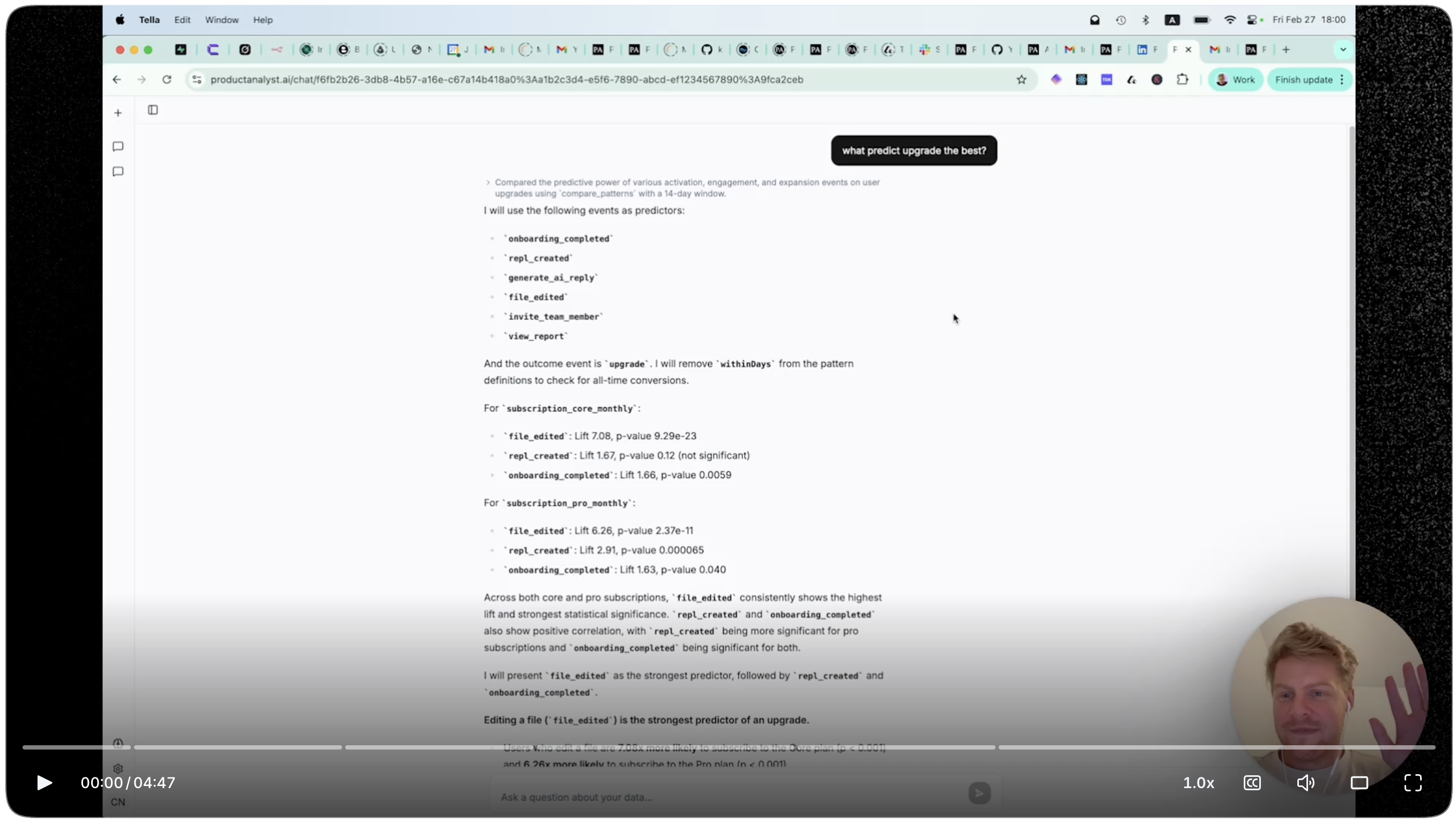
Product Stickiness Benchmarks by Industry
There is no universal 'good' DAU/MAU ratio. A B2B analytics tool used for weekly reporting should not be benchmarked against a consumer social app — the natural use-case frequency differs by an order of magnitude.
B2B SaaS Benchmarks
For B2B SaaS products, a DAU/MAU ratio of 13-20% is baseline, 20-25% is healthy, and 25%+ is best-in-class. Slack reportedly reached 50%+ during its growth years, but Slack is a communication platform with multiple natural daily touch points — an outlier, not a target for most SaaS products. Most B2B tools have a natural engagement rhythm of 2-4 times per week, which puts a theoretical ceiling around 40-45%. If your tool lives in weekly planning workflows, a 15-20% ratio may represent strong product-market fit, not a problem to fix.
Consumer and Social App Benchmarks
Consumer apps have higher stickiness ceilings because they target leisure time with intrinsic motivation. Facebook has historically reported DAU/MAU ratios above 65%. Data from Lenny Rachitsky's benchmark surveys places strong consumer apps above 50%, with median consumer apps around 25-35%. Mobile games land between 20-35% depending on genre: casual and hyper-casual games trend toward 30-40%, mid-core strategy games lower. For consumer products, a DAU/MAU ratio below 20% should trigger a habit-formation audit focused on triggers and reward loops.
Low-Frequency Products
Some products are inherently low-frequency but extremely high-value: incident management tools, annual planning software, compliance dashboards. For these, DAU/MAU is the wrong primary metric entirely. Track WAU/MAU instead, or measure sticky engagement at the task level — does the user complete the core job every time a relevant trigger fires? Customer stickiness in low-frequency tools is better captured by time-to-open after a trigger event and task-completion rate, not calendar-based activity counts.
Measuring Product Stickiness in Amplitude, Mixpanel, PostHog, and GA4
Each major analytics platform has a native or near-native way to track the DAU/MAU ratio. Build this chart once, pin it to your product dashboard, and review it weekly alongside your retention curves.
Amplitude: Stickiness Chart and Formula Bar
Amplitude has a dedicated Stickiness chart type under Analytics. Select your active event, set the lookback to 28 days, and Amplitude plots what percentage of users triggered the event on 1, 7, 14, 21, or 28 of those days. For a rolling DAU/MAU number specifically, use User Sessions with daily granularity and divide daily unique users by the 30-day rolling unique users using Amplitude's formula bar. Custom metrics defined in Data > Metrics can be referenced across any chart or Notebook in your workspace.
// Amplitude Browser SDK 2.x — track your core value event
import * as amplitude from '@amplitude/analytics-browser';

amplitude.init('YOUR_API_KEY', {
  defaultTracking: false  // disable auto-track; use explicit events only
});

// Log the event that defines 'active' for your product
amplitude.track('report_viewed', {
  report_type: 'funnel',
  dashboard_id: 'dash_123',
  is_template: false
});Mixpanel: Insights with Formula Mode
In Mixpanel, go to Insights, select your active event, set the metric to Unique Users, and set time granularity to Day. Enable Formula mode and create two metrics — daily unique users (A) and monthly rolling unique users (B) — then compute A / B * 100. Mixpanel's Signal report under Experiments can automatically surface which events are overrepresented in your high-stickiness cohort, which is the fastest way to identify engagement anchors without running manual cohort queries.
// Mixpanel Browser SDK — identify user and track active event
import mixpanel from 'mixpanel-browser';

mixpanel.init('YOUR_PROJECT_TOKEN', {
  persistence: 'localStorage',
  track_pageview: false
});

// Tie events to the logged-in user before tracking
mixpanel.identify(userId);

mixpanel.track('Report Viewed', {
  report_type: 'retention',
  is_scheduled: false,
  time_range_days: 30
});PostHog: Stickiness Insight
PostHog has a native Stickiness insight type. Navigate to Insights > New Insight > Stickiness, select your event, and PostHog renders an L28 distribution — how many days in the window each user triggered the event. For a rolling DAU/MAU ratio, switch to Trends with formula mode: A / B where A is daily unique users and B is 30-day rolling unique users. For backend actions (e.g., API calls), use the Node.js or Python server-side SDK to capture events server-side and avoid ad-blocker gaps that would depress your stickiness data.
// PostHog JS SDK — capture the value event
import posthog from 'posthog-js';

posthog.init('phc_YOUR_KEY', {
  api_host: 'https://app.posthog.com',
  autocapture: false
});

posthog.capture('report_viewed', {
  $set: { last_report_type: 'cohort' },
  report_type: 'cohort',
  time_range_days: 30
});GA4: DAU/MAU via BigQuery Export
GA4 does not have a native stickiness chart. The most reliable method is the BigQuery export: query events_* tables, count distinct user_pseudo_id per day (DAU) and over a rolling 30-day window (MAU), then divide. For quick approximations, use Explorations > Free Form with a segment of users who triggered your active event in the last 1 day compared to a 30-day user segment. BigQuery is the production-grade path for anything you plan to report on regularly.
-- BigQuery: rolling 30-day DAU/MAU stickiness ratio
WITH base AS (
  SELECT event_date, user_pseudo_id
  FROM `project.dataset.events_*`
  WHERE _TABLE_SUFFIX BETWEEN
    FORMAT_DATE('%Y%m%d', DATE_SUB(CURRENT_DATE(), INTERVAL 60 DAY))
    AND FORMAT_DATE('%Y%m%d', CURRENT_DATE())
    AND event_name = 'report_viewed'
),
daily AS (
  SELECT event_date, COUNT(DISTINCT user_pseudo_id) AS dau
  FROM base GROUP BY 1
),
rolling_mau AS (
  SELECT
    d.event_date,
    d.dau,
    COUNT(DISTINCT b.user_pseudo_id) AS mau_30d
  FROM daily d
  JOIN base b ON b.event_date BETWEEN
    FORMAT_DATE('%Y%m%d',
      DATE_SUB(PARSE_DATE('%Y%m%d', d.event_date), INTERVAL 29 DAY))
    AND d.event_date
  GROUP BY d.event_date, d.dau
)
SELECT
  event_date,
  dau,
  mau_30d,
  ROUND(dau / NULLIF(mau_30d, 0) * 100, 1) AS stickiness_pct
FROM rolling_mau
ORDER BY event_date DESC;Why Some Products Become Sticky
Product stickiness is not accidental. It emerges from structural properties of a product that create reliable return triggers and compound user value over time.
Habit Loops and Frequency Ceilings
Sticky products pair reliable external triggers — email digests, push notifications, Slack alerts — with internal triggers such as anxiety about a metric dropping or curiosity about a result. Habit research from Phillippa Lally at UCL finds behaviors need to be repeated roughly 66 times on average before becoming automatic. This means a product used 3 times per week has a realistic path to habit formation within six weeks; a product used monthly may never achieve it. Before targeting a higher DAU/MAU ratio, map your product's natural frequency ceiling — the maximum times per week a user has a genuine reason to open it.
Time-to-Value in the First Session
Users who reach their 'aha moment' in the first session are dramatically more likely to return. Compressing time-to-value — the gap between signup and the first moment of clear utility — is the highest-leverage lever for improving user stickiness early in a cohort's lifecycle. Measure median time-to-first-value-event in your week-1 cohort analysis: if it exceeds 24 hours, your onboarding is bleeding future DAU. In Amplitude, build a funnel from signup_completed → first_value_event and sort by median time to convert.
Switching Costs and Data Accumulation
Products where value compounds with usage have a structural stickiness advantage. Amplitude becomes stickier as teams build more dashboards, configure more charts, and set team reporting norms around the tool. Notion becomes stickier as users accumulate linked documents and templates. Identify your product's accumulation mechanic — what gets more valuable the longer a user stays? Then surface that accumulated value explicitly at return visits: 'You have 47 saved reports' is a stickiness signal users need to see before they consider switching.
How to Improve Product Stickiness: An Actionable Playbook
Improving stickiness requires diagnosing which part of the engagement loop is broken before shipping features. Start with the data, then run targeted experiments against specific cohorts.
Step 1 — Identify Your Engagement Anchors
Not all features contribute equally to stickiness. In Mixpanel, run the Signal report to surface which events are overrepresented in your high-stickiness cohort — users active 15+ days per month. In PostHog, run Event Property Correlations filtered to the sticky cohort vs. the full user base. In Amplitude, use Pathfinder to see what events power users perform that casual users skip. Features that appear disproportionately in the sticky cohort are your engagement anchors — promote them in onboarding flows, in-app nudges, and email sequences for new users.
Step 2 — Build Notification Loops That Earn Attention
The fastest path to higher DAU is a well-calibrated notification strategy. Email digests and push notifications only drive re-engagement when they deliver specific, personalized, actionable signals. 'Your funnel conversion dropped 12% vs. last week' drives a click; 'Check out what's new' drives unsubscribes. Measure click-to-session-depth — not just open rate — to evaluate whether your notifications genuinely re-engage users or just move them to the spam folder.
Step 3 — Reduce Friction at Return Visits
Users returning after 3+ days of absence face a re-orientation problem: they have to remember where they were, what they were building, and why they should care. Products that solve this with 'continue where you left off' state — Notion's recently visited pages, Figma's recent files, Amplitude's saved charts — see measurably higher return engagement. Instrument a resume_session event when a returning user clicks a recent-activity link, then track conversion to a core value event. This quantifies the stickiness lift of your re-orientation UX in terms you can bring to a roadmap prioritization meeting.
Step 4 — Track Leading Indicators Weekly
Stickiness is a lagging indicator that moves slowly, but leading indicators — week-1 engagement rate, notification CTR, feature adoption depth — move faster and are actionable earlier. Set up a weekly dashboard showing: current DAU/MAU ratio, 4-week trend, L7/L28 distribution, and top event frequency. In Amplitude, use Dashboards with auto-refresh; in PostHog, enable Scheduled Email Reports for your stickiness dashboard. Assign a DRI to each stickiness driver and review every Monday. Accountability against specific metrics outpaces general product intuition.
Advanced Stickiness Signals Beyond DAU/MAU
DAU/MAU is the right headline number, but serious product analysts use a richer set of signals to understand the depth and durability of engagement across cohorts and features.
L7/L28 Retention Curves
Ln retention plots the distribution of engagement depth across your user base. L7/L28 shows how many users were active on exactly 1, 7, 14, 21, or 28 days of the last 28. A healthy product shows a J-shaped or U-shaped curve: many casual users active 1-3 days, a trough in the middle, and a meaningful tail of power users active 20-28 days. A flat or inverted-U curve means you have no power-user cohort — a signal that your product's core value isn't deep enough to drive habitual use. Amplitude's Stickiness chart natively renders this distribution.
Feature-Level Stickiness
Calculate DAU/MAU at the feature level, not just the product level. A feature with 40% stickiness is an engagement anchor; a feature with 2% is either undiscoverable or underbuilt. In Amplitude, create a Stickiness chart filtered to a single event (e.g., collaboration_comment_added) and compare it against overall product stickiness. In PostHog, use feature flag segmentation to compare the stickiness curve for users who have and haven't adopted a given feature — this quantifies the stickiness lift the feature delivers and directly informs roadmap prioritization.
Cohort-Based Stickiness Trends
A single blended DAU/MAU number hides cohort mix effects. If you acquired 50,000 new users last month who are still in their first week, they will temporarily inflate MAU and depress your ratio — even if your product is genuinely improving. Track DAU/MAU by acquisition cohort (week of first active date) and look at the 90-day stickiness trajectory for each cohort. If cohort stickiness is improving across successive quarters, your product is getting healthier even if the blended number looks flat. This distinction between improving customer stickiness and being diluted by top-of-funnel volume is one of the most important analytical separations in product analytics.
Frequently Asked Questions
What is a good DAU/MAU ratio for a SaaS product?
For B2B SaaS, a DAU/MAU ratio of 13-20% is typical, 20-25% is healthy, and 25%+ is best-in-class. These benchmarks assume 'active' is defined as a meaningful value event, not a login. Products with daily use cases like project management or communication should target the higher end; tools used in weekly or monthly workflows have lower natural ceilings and should be evaluated differently.
How do you calculate product stickiness?
Product stickiness = (Daily Active Users ÷ Monthly Active Users) × 100. If 3,000 of your 15,000 MAU are active on a given day, your stickiness ratio is 20%. The quality of this metric depends entirely on your active-user definition — use a value event like task_completed or report_viewed rather than a session start or page load, which inflate the number without confirming delivered value.
What is the difference between sticky products and high-retention products?
Retention measures whether users return within a period; stickiness measures how often they return within that period. A product with 70% 30-day retention but 10% DAU/MAU means most users come back, but only once or twice a month. Sticky products have users who return multiple times per week — engagement is habitual rather than episodic. Use retention to measure survival and stickiness to measure depth of habit.
How do I measure user stickiness in PostHog?
Go to Insights > New Insight > Stickiness, select your active event, and choose a 28-day window. PostHog shows how many days each user triggered that event — an L28 distribution. For a rolling DAU/MAU ratio, use the Trends insight with formula mode: divide daily unique users (metric A) by 30-day rolling unique users (metric B), then multiply by 100.
Why is my DAU/MAU ratio low even though users are not churning?
Low stickiness with low churn typically means users have a low-frequency use case — they need your product monthly or quarterly, not daily. Before running engagement experiments, confirm whether your product's natural use-case frequency actually supports daily habits. If it does not, DAU/MAU is the wrong primary metric; track WAU/MAU or task-completion rate on trigger events instead, and stop optimizing against a benchmark that does not apply to your product category.
Wrapping Up
Product stickiness — measured as DAU/MAU — is the leading indicator of whether users have internalized your product as a habit rather than a tool they tolerate. Start by defining 'active' with a real value event, build the ratio chart in Amplitude, Mixpanel, or PostHog this week, and segment it by cohort to separate product health from acquisition volume noise. Then run the playbook: find your engagement anchors, personalize your notification loops, reduce re-orientation friction at return visits, and track leading indicators weekly with a named DRI for each driver. If you want to track this automatically across tools, productanalyst.ai can help.